
Secondbrain Me: what your work says about you.
You spend a good part of the week in meetings and almost nobody ever tells you how it went. Secondbrain Me recognizes your voice in your recaps and, meeting after meeting, builds honest feedback: what you do well, what you struggle with, what to focus on and whether it is working. It is an outside view, drawn from what happened rather than from what you think happened.
Why work on yourself
Productivity tools organize the work, but you are the one doing it: how you frame a topic, how you listen, whether you close with clear commitments, how you answer a request that does not add up. None of that improves with another to-do list. It improves when you see it with evidence, when someone points it out and when you look again a few weeks later.
Secondbrain Me does those three things with what you already record. No surveys, no self-assessments: it reads what you said and how the others responded.
Your voice: five sentences, once
Everything starts here. You read five sentences out loud, in English or Spanish, and the app learns to recognize you. What remains is a numeric fingerprint of your voice: the audio is not stored.
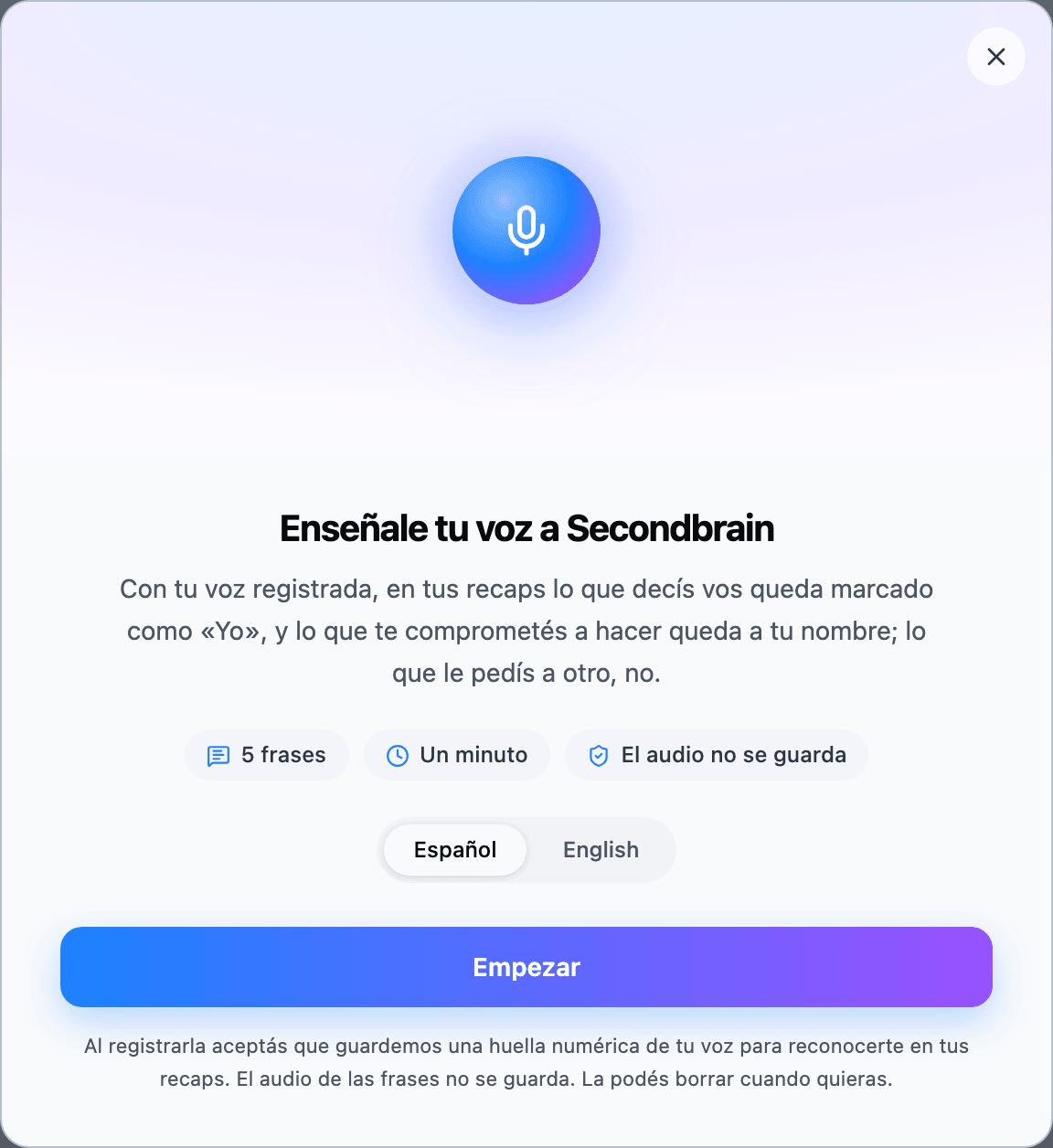
- It is one per person, not per device: the one you recorded on your computer recognizes what you record on your phone, and vice versa.
- From then on, in all your recaps what you say is marked as "Me", and everyone else stays as it was. Nothing else to turn on. How it works under the hood, in Recaps.
- If a stretch is too short or the voice is not close enough, it does not guess: it stays unmarked.
In every meeting, your part
Every recap with your voice gets a "You" tab, next to Action items. It is not a summary of the meeting; it is feedback on your part:
How you came across
What you raised, what you defended and what you gave up.
How it landed
What the others did with what you said: took it, argued it, let it pass.
What you achieved
The decision you unblocked or the commitment you got.
Advice
Two or three, concrete, for next time, and the moments of the meeting where it showed, with their minute.
Only what was marked with your voice counts as yours: what someone else said is not attributed to you, even when it is about you.
Your page in the Atlas
In the Atlas there is one entity unlike the rest: you. It carries your first and last name, the You badge and always sits first in the list. At the top, its page turns your meetings into a profile:
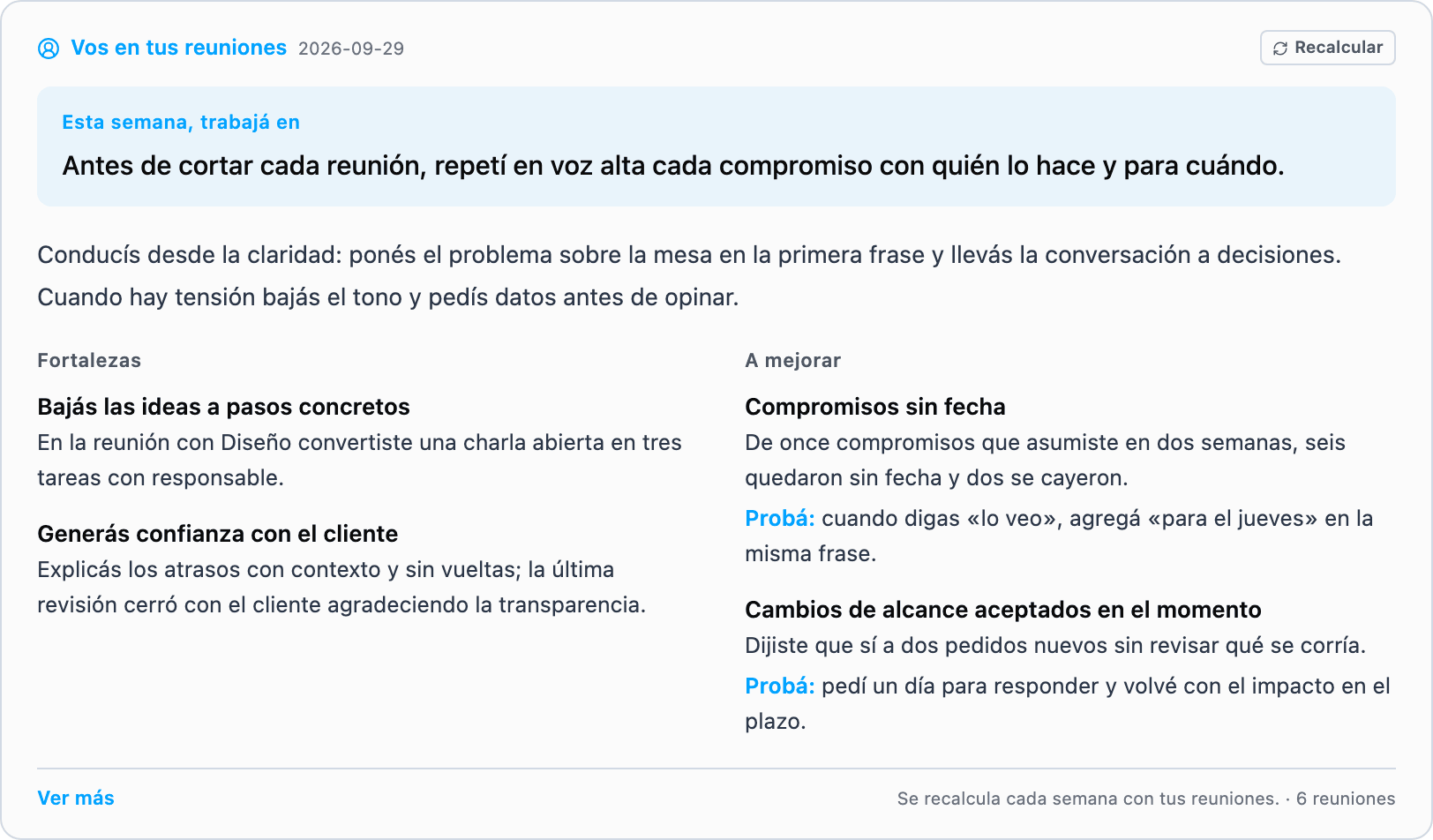
- It is recalculated every week with the new meetings, and every week is kept: further down you see how you have been changing and what keeps coming back.
- Meeting by meeting: below the profile, every recap with your voice and what you achieved there, one click away from the full feedback.
And your page learns about you from every meeting, document and task you appear in: what you work on, with whom, what you committed to and what you closed, and what others say about you. Over time it becomes your work history: the one nobody remembers to write.
The email report: continuous improvement
If you turn it on, every 15 days you get You · Continuous improvement: an email that looks at your meetings in the period and leaves you a focus, what goes well, what you struggle with and a practice for each, and two or three goals for the days ahead.
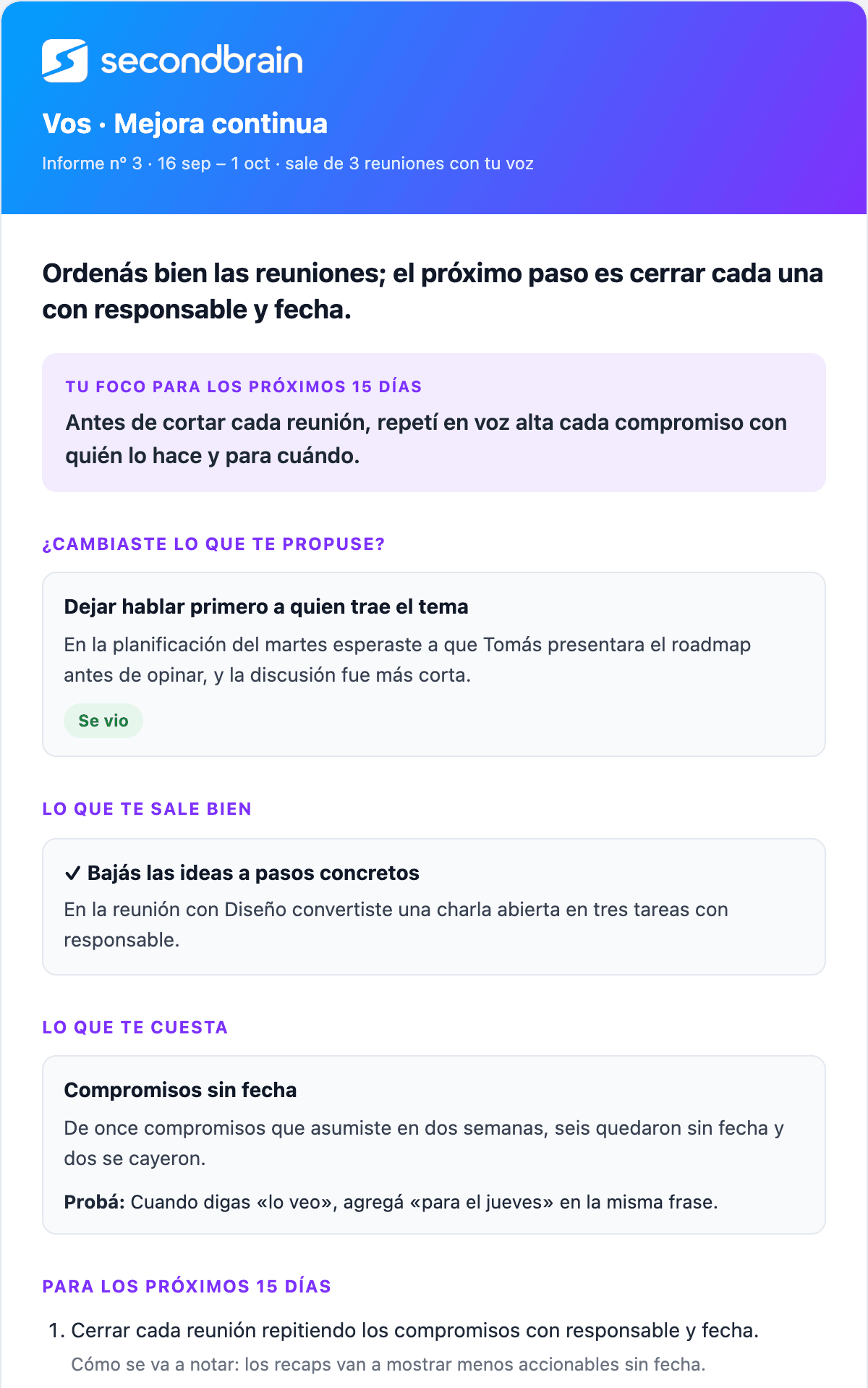
- Every report grades the previous one. The goals it set come back marked as seen, halfway or not seen, with the meeting where it showed. That is how you know whether anything actually changed.
- It starts off: turn it on in Settings → Notifications, where you also pick how often it arrives (7, 15 or 30 days) or ask for one right away from the same place.
- It only goes out when there is material: your voice registered and at least two meetings with your voice in the period. With less than that there is nothing honest to say, and it does not arrive.
What is stored, and who sees it
All of this is yours. It does not travel when you share a recap: whoever receives it does not see the "You" tab. Neither does a team or anyone you share something with: your profile and your reports are not shared.
- Everything known about you is in plain sight, on your Atlas page: each week's profile, the feedback from every meeting and what it learned about you, with where each thing comes from. There is no second copy hidden somewhere else.
- What it learned is rebuilt with Regenerate and the profile with Recalculate, both from the same page.
- The email can be turned off any time, in Settings → Notifications.
- Deleting your voice (Settings → Profile → My voice) turns everything off going forward: new recaps no longer mark what is yours, so there is no new feedback, the profile stops updating and the report stops going out. What was already analyzed stays in your recaps and on your page.
Keep reading
Shall we try it?
Create your free account and use all of this today.