
Secondbrain Teams: you share the piece, not the space.
You never open your workspace to anyone. You share one piece — a document with its branch, a recap, a canvas, a board — and the other person sees it in their own account, with the permission you gave them. If you keep sharing with the same people, you build a team.
What you can share
The guest is not a member of anything: they stay in their account, and what you shared shows up inside their space.
A document and its branch
With sub-documents, canvases, recaps, clips and files. Edited together, live.
A recap
Summary, transcript and notes. Also with a public link.
A task board
The rule, not a snapshot: what comes in later shows up too.
An Atlas person
Linked to their user, they see the tasks where they are tagged or assigned.
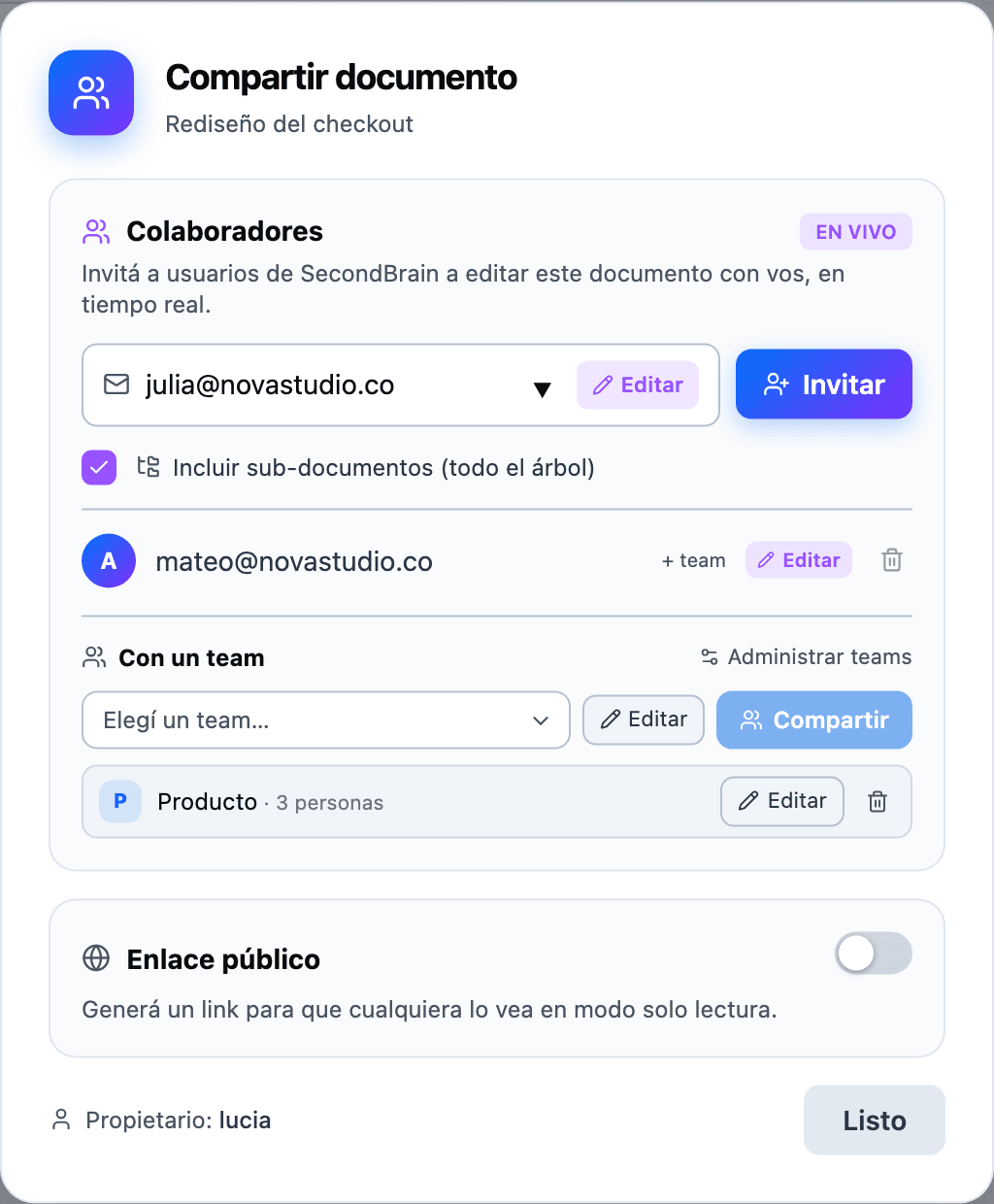
Sharing a document
- 1Share → emailOf a Secondbrain user. If there is none, it tells you right there.
- 2Edit or ViewAnd with include the tree, everything under the document travels too, including what you add later.
- 3They place itThey accept and pick which of their spaces it goes to. In their tree it carries a SHARED or VIEW badge.
Two people can type in the same paragraph at once: you see each other's cursors, it saves itself and nobody overwrites anybody. Same for recaps and canvases.
If there is no account on the other side, publish it: a stable, read-only link that stops working when you unpublish.
Teams: sharing with a group
A team is a group of people you share something with once and all of them see it. It is yours, not a workspace's: you use it from any of your spaces.
- 1Create the teamFrom your avatar, Teams & sharing → New team.
- 2Add peopleBy email, each with Edit or View.
- 3Share things with itFrom the Share button of a document, recap or board, in the With a team block.
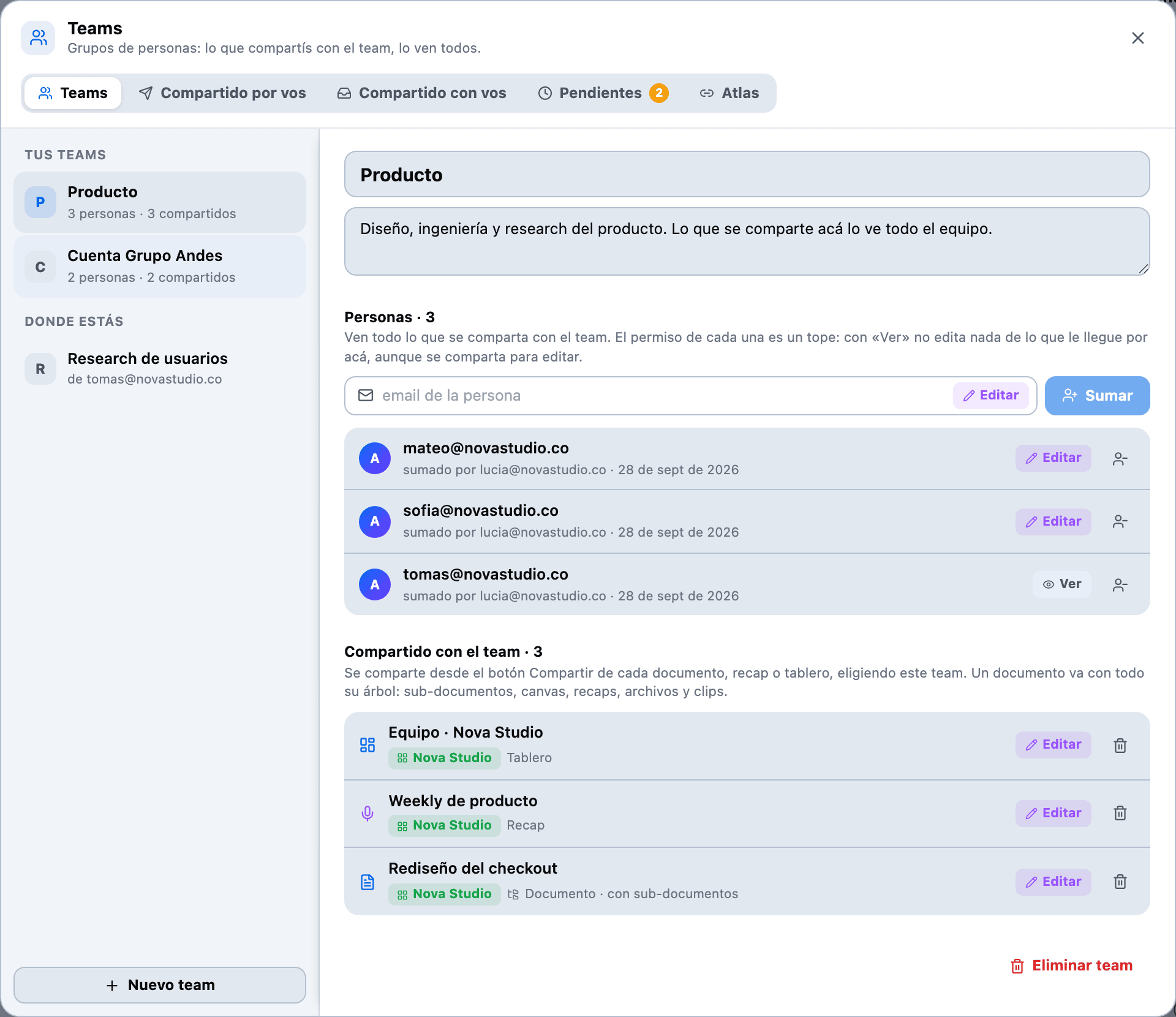
- Whoever joins gets what the team already had; whoever leaves loses everything that came through it.
- Each person's permission is a ceiling: someone on View cannot edit even if you share for editing.
- If you are on someone else's team, you see it under You're in and can leave whenever you want.
Sharing a board
A shared board is the rule, not a snapshot: every task that meets its conditions is in, today and later. That is why one with no conditions cannot be shared. How to build one, in Tasks.
- The guest views it their way — list, kanban or timeline — and, with permission, edits and creates tasks and comments.
- They cannot touch Atlas tags: those are the scope, and the scope belongs to the owner.
- ClickUp or Jira tasks they only edit with their own account. More detail.
Linking an Atlas person
If someone in your Atlas uses Secondbrain, you invite them from their entry. Once they accept, the tasks where they are tagged or assigned, and the documents associated with them, reach them on their own.
One specific thing → share the piece. Everything that concerns them → link the person.
What is circulating
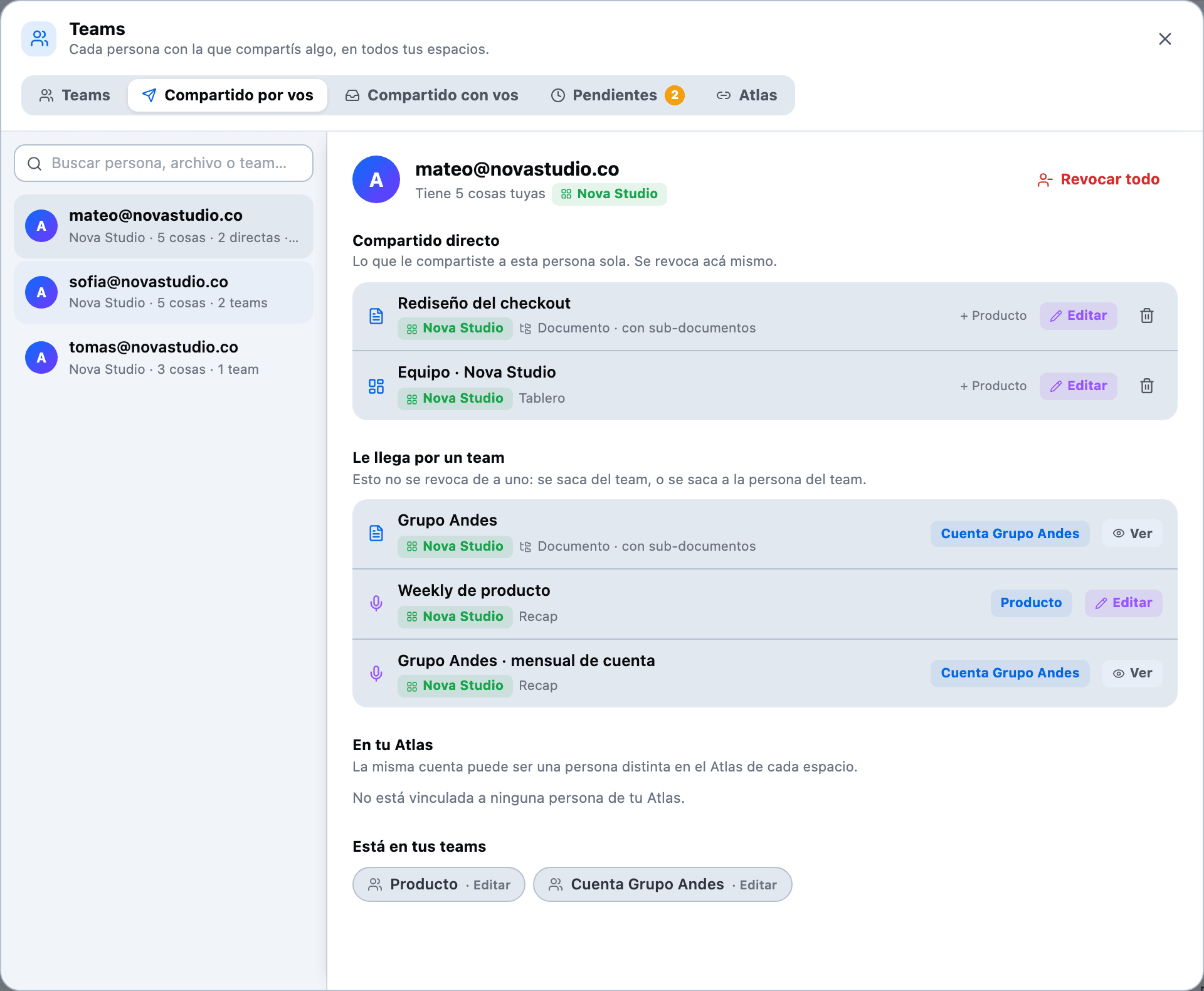
Teams & sharing gathers, across all your spaces, what you shared, what was shared with you and the Pending invitations. Revoking from there is immediate.
What is not shared
A guest never sees your Atlas, your daily notes, your digest or anything that does not hang off what you shared. A team does not open anything either: it is a list of people, not a membership. And cutting access, from either side, is immediate.
Keep reading
Shall we try it?
Create your free account and use all of this today.